For missed problems
Memorize with VoiceCards. Practice missed problems with ReviewNotes.
Save a problem you missed. ReviewNotes makes similar practice problems you can print and solve again.
Explore ReviewNotes →
VoiceCards
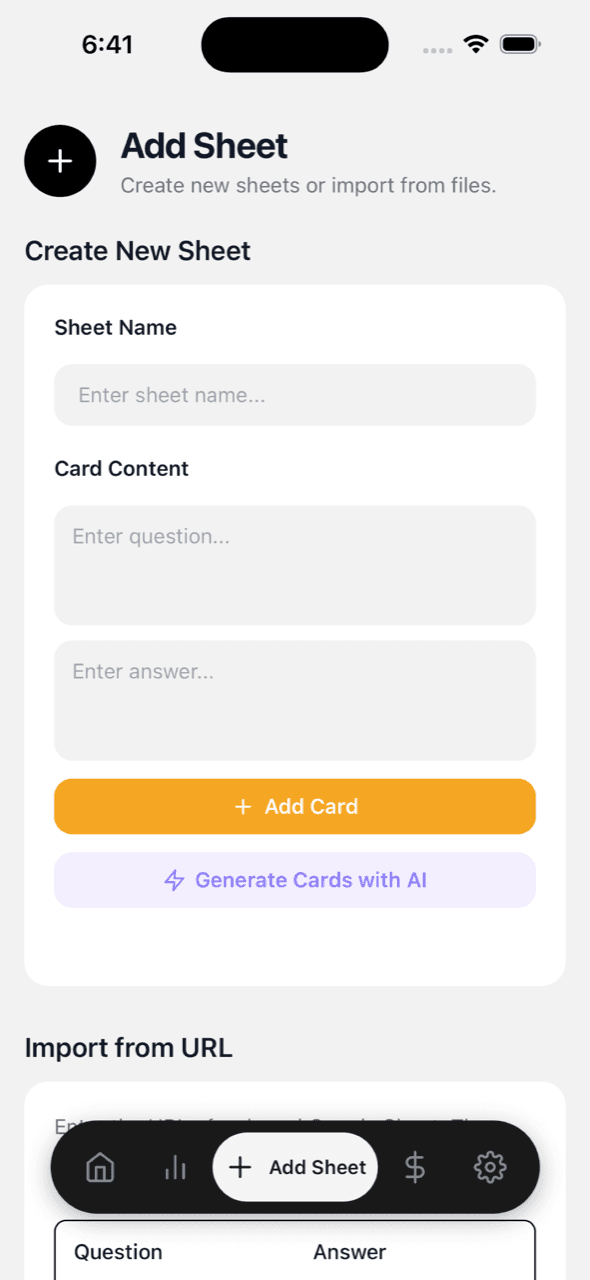
Make cards from notes, photos, or PDFs. Speak your answers or listen hands-free. Back up decks to Google Sheets.
Speak mode
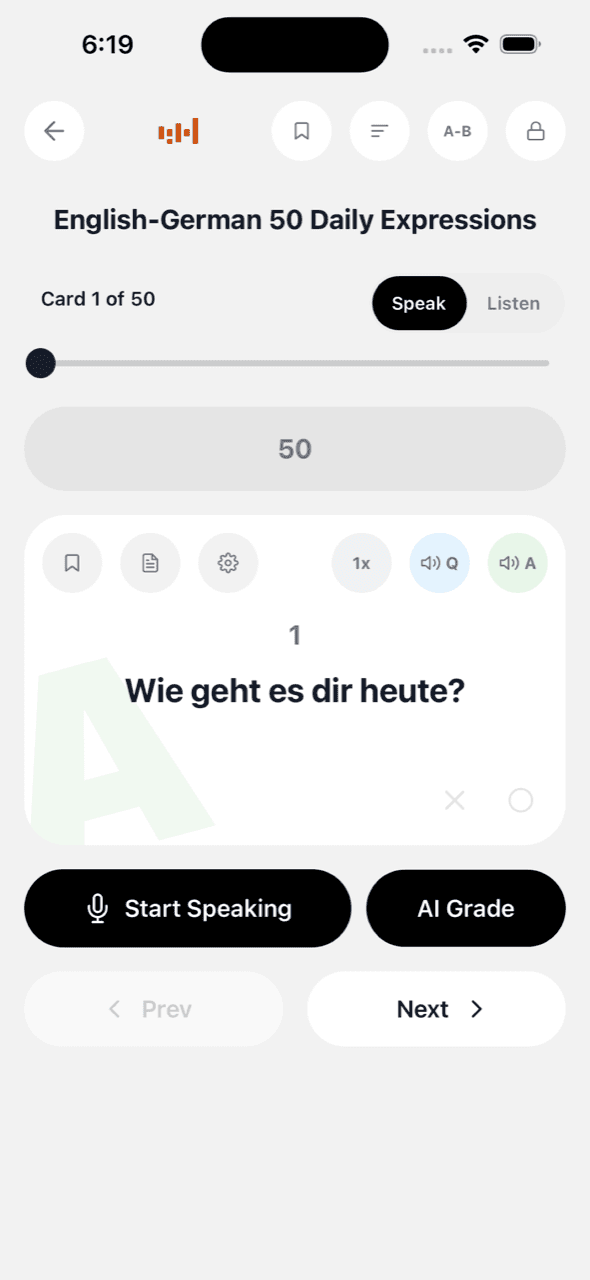
Tap record, say your answer, and see the transcript right away. VoiceCards checks it against the answer in your deck, so you can keep moving.
Listen mode
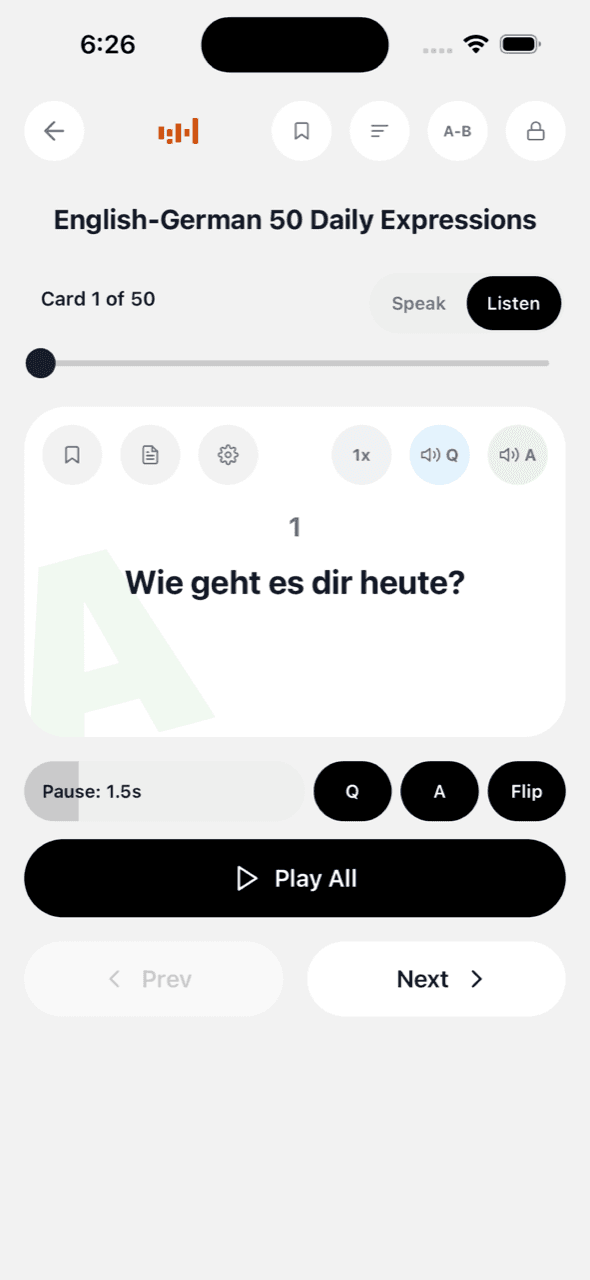
Set the pause, speed, and a voice for each side. Then press play. Your cards keep going with the screen off while your account has credits or an active listening period.
Goals and progress
Set a speaking goal for each deck. Every attempt moves the bar, whether the answer is right or wrong. VoiceCards estimates your finish date from your pace.
AI card generation
Enter a topic, add up to 10 photos, or upload one PDF up to 40 MB. VoiceCards makes question-and-answer cards you can edit before you start studying.
See it in action
Study activity
44,000+
Flashcards created
8,200+
Spoken answers checked
121,000+
Cards played
What are you studying?
Build decks for vocabulary, phrases, and conversation practice. Choose from 29 languages, say your answer out loud, and compare it with what your deck expects.
Learn More →
Practice questions for school, entrance exams, certifications, medical boards, or job interviews. If you need to recall it out loud, you can rehearse it here.
Learn More →
Add dates, definitions, scripture, lyrics, or anything else you want to remember. If it fits into a question and answer, it can become a deck.
Learn More →
Study methods
Choose a routine for exams, interviews, daily review, or listening practice. Each one shows you what to do with your own material.
Turn listening time into speaking reps: hear the prompt, say the answer in the gap, before the voice does.
See the Method →
Work backward from the exam date to today's number.
See the Method →
Interviews and oral exams are performances. Rehearse them as one.
See the Method →
Stop reviewing what you know. Drill what you miss.
See the Method →
Photograph the chapter, curate the cards, own the material.
See the Method →
If you only learned it forward, you only half learned it.
See the Method →
Five cards a day beats fifty cards on Sunday.
See the Method →
Turn commutes and chores into extra passes over the material.
See the Method →
Say the answer before you see it. Out loud, every time.
See the Method →
Ready-made decks
Pick a free deck for languages, exams, science, or scripture. Copy it, make it yours, and start practicing.
Electrical, tower, antenna, battery, lightning and RF exposure safety.
See the Deck →
Troubleshooting, test equipment, signals, modulation and digital communications.
See the Deck →
Ohm law, power, units, components, semiconductors and block functions.
See the Deck →
Radio waves, bands, propagation, feed lines, SWR and antenna behavior.
See the Deck →
Calling, repeaters, digital modes, station setup and practical operation.
See the Deck →
Licensing, control, identification, permitted communications and FCC rules.
See the Deck →
Catch-ups, plans, messages, feelings, reactions, requests and polite refusals.
See the Deck →
Airport, transport, food, shopping, hotels, directions and emergencies.
See the Deck →
Home, errands, deliveries, weather, paying and small daily problems.
See the Deck →
More ways to study
Connect your account to keep decks in your own Drive. Edit them in any browser.
Open a connected deck on your computer with a link such as vcrd.quest/swift-fox-7.
New premium audio uses credits. Replays are free, and saved audio stays premium at zero credits after any purchase.
Review five cards a day, keep your streak going, and return to the card where you stopped.
Lock the answer side so you have to answer before you look.
Keep Listen mode going with the screen off while you have credits or an active listening period.
Cached cards and already-synthesized audio play without a connection.
Star a card to practice it again, or let VoiceCards bring back the ones you miss.
Compare weekly practice with people you know.
Check an open-ended spoken answer by meaning and get a suggested answer.
Pricing
Create or import up to three decks. Use Speak mode, listen with your device voice, check stats and goals, and set reminders. There is no subscription or trial clock.
Credits pay for AI card generation, AI grading, and new premium-voice audio. Packs are one-time purchases, and prices vary by region. A positive purchased balance lets you add decks beyond three. Packs from $9.99 include at least 120 days of screen-off listening, even if the balance reaches zero.
Speak and listen in
English · Arabic · Chinese (Simplified) · Chinese (Traditional) · Czech · Danish · Dutch · Finnish · French · German · Greek · Hebrew · Hindi · Hungarian · Indonesian · Italian · Japanese · Korean · Malay · Norwegian · Polish · Portuguese · Romanian · Russian · Spanish · Swedish · Thai · Turkish · Vietnamese
For missed problems
Save a problem you missed. ReviewNotes makes similar practice problems you can print and solve again.
Explore ReviewNotes →Writing practice
Paste a model answer or upload a PDF. Scripta breaks it into practice for structure, paragraphs, sentences, and useful expressions.
Explore Scripta →Start free with up to three decks and 100 starter credits. Add a pack only when you need more.